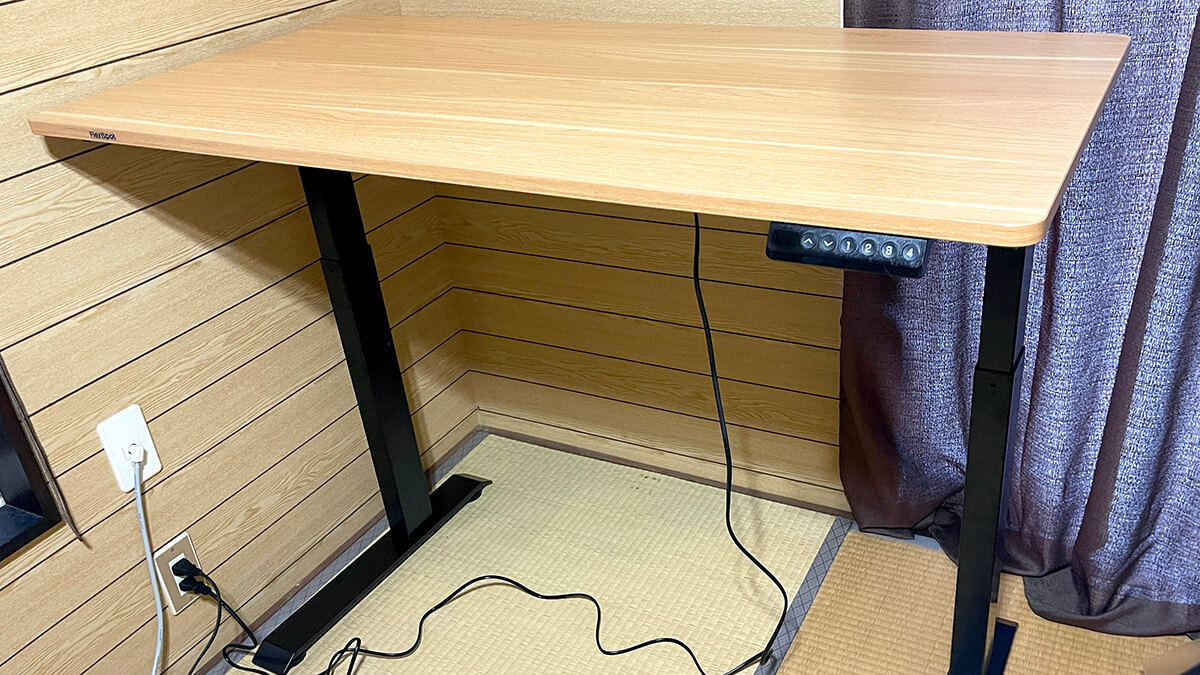
I bought a standing desk because I got ill, not because I read something about sitting being bad for you.
The desk is a FlexiSpot E9 — motorized, height presets, 120 × 60 cm top. It is the base layer of the setup everything else in this room sits on. This is what it changed about how a working day is shaped, and the parts of owning one that nobody mentions until you are holding 30 kg of steel in a doorway.
Originally published in Japanese on May 6, 2025. This English version was written in September 2026.
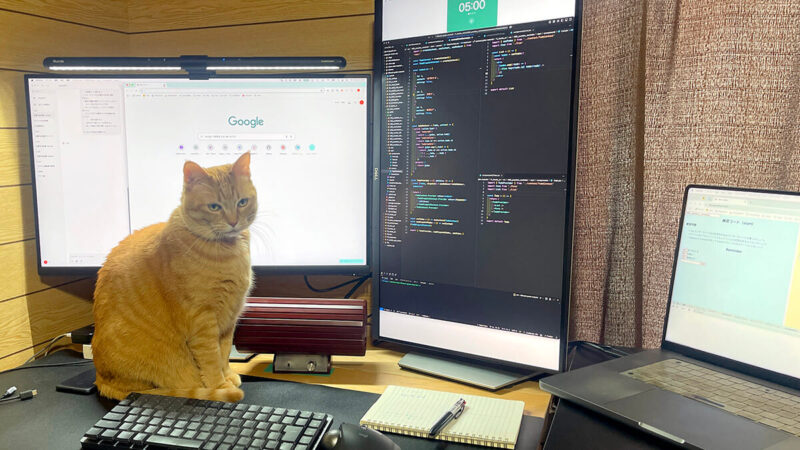
Before anything else: buy the specification, not the model number
Checking this article for an English-language audience turned up something worth putting at the top rather than in a footnote: FlexiSpot’s model names do not map cleanly between its regional sites, so “get an E9” is not portable advice.
The desk I own is the Japanese E9 — 73–123 cm of travel, 50 kg capacity, 120 × 60 cm top, memory presets. FlexiSpot’s US site does carry a “Height Adjustable Standing Desk E9”, and on the numbers that matter it is the same class of machine: 28.7–48.4 in (73–123 cm), 110 lb (50 kg), a 48 × 24 in top, five-year frame warranty. But that page also calls it the Vici desk model, and the same desk turns up elsewhere in FlexiSpot’s US catalog as the EC9. One desk, three names, depending on where you land.
The practical consequence: check the memory-preset line specifically, because it varies between these listings and it is the feature I would least want to lose. More on why below.
Availability is the other catch. Checked on September 7, 2026, the US E9 page is marked off-shelf, and FlexiSpot’s current push is the E7 line. So read this as a review of a mid-range motorized sit-stand desk. The reasoning transfers; the model number does not.
Why I ended up buying one
For a stretch, work meant regular trips into Tokyo. I live somewhere green and quiet and work from home; central Tokyo is the opposite of that in every dimension, and the volume of input is genuinely disorienting even though I was born there and spent most of my life in it.
The pattern was: meetings on arrival, laptop open in a café during any gap, dinner with clients or friends in the evening. Enjoyable. Also completely unsustainable at the density I was doing it, on the sleep I was getting.

It caught up with me after I got home — days of flat exhaustion, tired from the moment I woke up, no drive to do anything. Not a productivity problem. A “this does not work and something has to change” problem.
There was a specific regression to undo, too. I had used a standing desk before. Then I added monitors, and the monitors meant a fixed sitting position, and my work improved while the physical fatigue crept back. Sitting all day is bad; standing all day is also bad. What I had lost was not the standing — it was the ability to switch.
The desk
Specifications from the Japanese product page:
- Height range: 73–123 cm
- Load capacity: 50 kg
- Top: 120 cm wide, 60 cm deep, 18 mm thick
- Height memory presets and obstacle detection
- Assembled weight: about 30.5 kg; five-year frame warranty
In use, the travel is smooth and the motor noise is low enough that I have never thought about it. It moves fast enough that raising the desk does not feel like a decision you have to commit to — which sounds trivial and turns out to be the whole thing, because a slow desk is a desk you stop raising.
The presets are the feature that makes the habit stick. Store a sitting height and a standing height once, and switching is one button rather than a fiddly re-adjustment every time. If you are comparing models, treat memory presets as essential rather than a nice extra — this is the single spec most responsible for whether the desk actually gets used as a sit-stand desk or just becomes a desk at a fixed height.
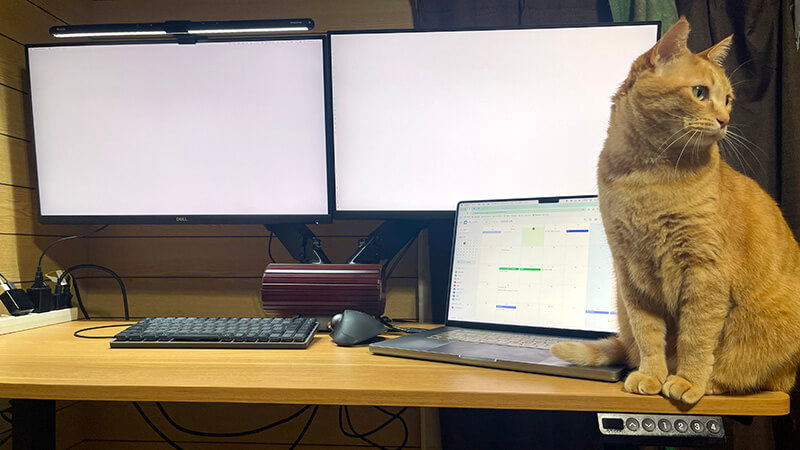
50 kg sounds generous and is worth doing the arithmetic on. Two 27-inch monitors on a dual arm, a laptop, keyboard, trackball and a light bar are nowhere near it, and there is no wobble at standing height. If you are planning a heavy multi-monitor rig, or you lean on the desk, a dual-motor frame is the sturdier choice.
What changed about the working day
The first thing I noticed was not a benefit. It was the realization of how long I had been sitting without ever deciding to.
Mid-afternoon, thinking going in circles, I would previously just stay put, because standing up meant abandoning what I was doing. With a button, “stand up for a bit” enters the list of available moves. And the useful part is not the standing — it is the interruption. Getting vertical breaks a stuck loop in a way that staring harder does not.
Over a day it turns into a rhythm you steer by how you feel rather than by a timer. Standing for focused stretches in the morning, sitting for anything long-form, standing again when the afternoon flattens out.
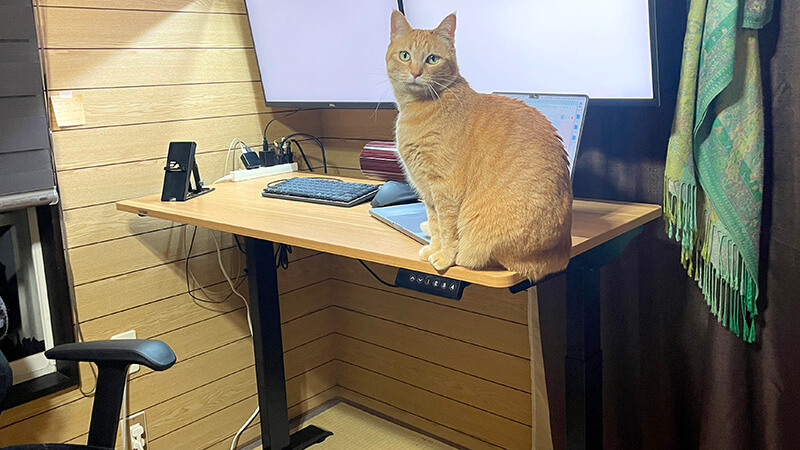
I want to be careful about the claim here, because sit-stand desks attract more certainty than the evidence supports. I am not asserting a health outcome. What I can say is narrow and true: the option to change posture without abandoning the task is worth having, and being able to break out of one fixed position was the specific thing I needed. Individual mileage will vary considerably.
What to know before ordering
Four things, roughly in order of how likely they are to cause regret.
- Assembly is heavy work. The steps are not complicated and the instructions are fine. But the finished desk is about 30.5 kg, and you assemble the frame upside down and then flip the whole thing over. Alone this is slow and slightly risky. Two people and it is straightforward. Decide where the desk lives before you build it, because moving it afterwards is not casual.
- Plan the cable run first. A motorized desk needs mains power, and every cable on it now has to tolerate a 50 cm vertical travel. Cables routed for a fixed desk will snag, unplug, or pull something off the edge. Cable tray, or at minimum enough slack and a bundle that moves as one.
- Look up before you raise it. Obstacle detection stops the desk when it hits something, and I am glad it exists, but it protects the desk and the shelf — not the mug that slides off en route. Overhead shelving and low-hanging lights are the things to check.
- The top size is fixed at 120 × 60 cm. Fine for two 27-inch monitors on an arm, plus keyboard and trackball. At 60 cm deep, monitors on their original stands would be uncomfortably close to your face — which is part of why I moved to a monitor arm. Worth measuring against your actual hardware.
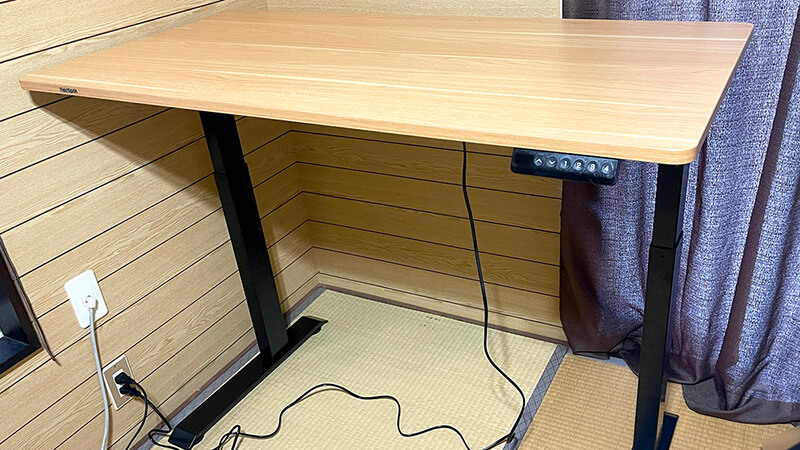
The layer everything else sits on
The thing about working from home for years is that you stop questioning the arrangement. A chair, a screen, all day, every day, and at some point it simply stops registering as a choice.
Replacing the desk was what made me look at it again. Sit, stand, sit again — a small amount of control over one variable, and the day has a shape it did not have before.
The rest of this room reorganized itself around the desk: the monitors I already had went onto a dual arm to get them off the surface, and eventually a CO2 meter arrived to catch the one input I could not see. The desk is the part that determines what the rest can be.

Given the E9’s availability, the honest recommendation is not for this model. It is for the category, with memory presets as a hard requirement, a load capacity with real headroom, and a cable plan made before you build it.