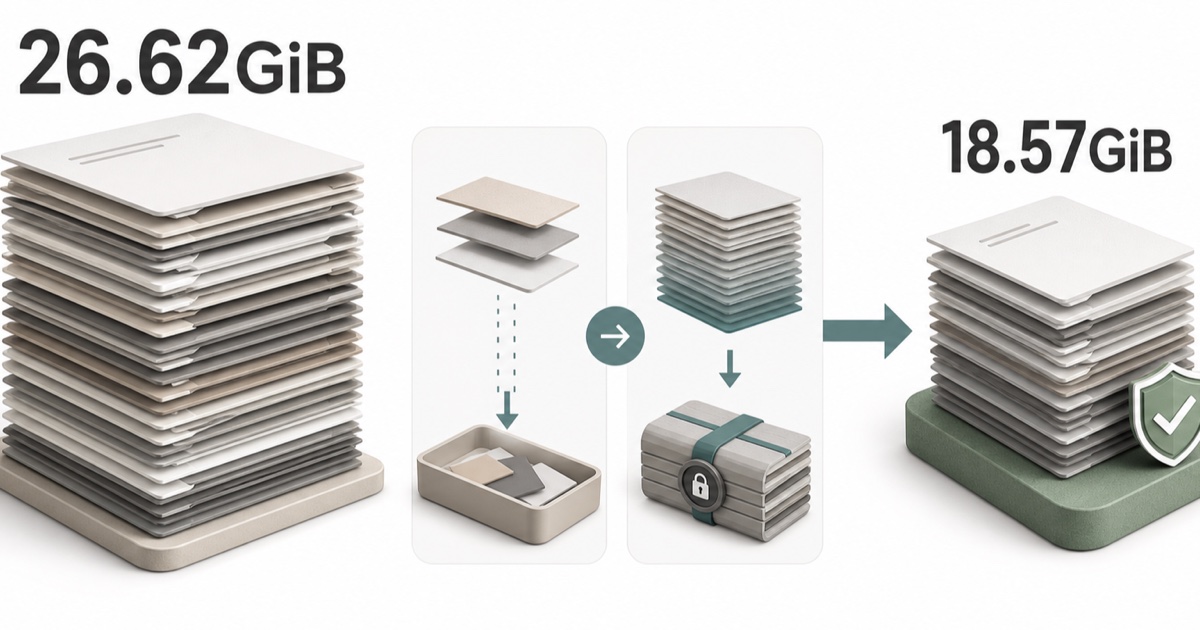
Codex rollout history on my machine had reached 374 files and 26.62 GiB. I got it down to 18.57 GiB — a net reduction of 8.05 GiB, or 30.2% — using the official codex delete command plus a five-file test of the in-development rollout compression.
Freeing disk space did not demonstrably make Codex faster. Delete, archive, /compact, and rollout compression all do different things, and conflating them is the main mistake to avoid here.
Originally published in Japanese on July 19, 2026. This English version was written in September 2026.
This is not a guide to hand-deleting Codex history. It is a record of sorting cleanup targets using metadata only, then reducing size through the official delete path and one narrowly scoped compression test. Measurements were taken on Codex CLI 0.144.5 on July 19, 2026.
Where the 26.62 GiB came from
Codex is not an occasional CLI for me. Articles, WordPress, GitHub, research, handoffs between roles, post-publication checks — it sits inside daily work. Tasks are not all short: some are multi-day role tasks, some involve images and browser operation.
App task switching started to feel heavy. I did not open the sessions directory and read what was inside. Rollout bodies can contain conversations, prompts, responses, tool output, and work content.
Instead I used codex-healthkit, the metadata-only CLI I publish:
codex-healthkit check --json
du -sh ~/.codex/sessions ~/.codex/archived_sessions
File counts, sizes, modification times, active/archived status. Not credentials, tokens, cookies, SQLite contents, or session transcript bodies.
The starting figure was 374 rollouts, 28,581,097,183 bytes, 26.62 GiB. It was not only old history accumulating — recently updated long-running tasks were large too.
Similar reports exist upstream. Issue #24948 describes a sessions directory of roughly 91 GB with 184 JSONL files over 100 MB and a largest file near 1.95 GB. Issue #25215 describes a thread that grew to about 3.06 GB and could no longer be resumed after a Desktop update. Both are single-environment reports, and I am not assuming they share a cause with my 26.62 GiB. Both were still open when this English version was written.
A rollout is not just saved conversation
A rollout is a JSONL execution record. Alongside message text it accumulates whatever is needed to resume the task. Reading the implementation, the record types include messages, tool calls, tool results, turn context, post-compaction state, world state, and events.
Image input can be retained as inline data. Large terminal, browser, build, and test output can land in tool results. So the format is text, but the contents are not necessarily short prose.
It is also not a wholesale copy of your repository. The accurate model is: what Codex read, and included in history as tool output, accumulates.
I prioritized the safety boundary and did not inspect actual rollout bodies or their internal composition. So I cannot say whether images, compaction, or bulk output was the largest contributor in my environment.
Delete, archive, and /compact are not interchangeable
| Operation | What it actually does | Reduces disk? |
|---|---|---|
/compact | Summarizes the visible chat to free tokens in the current context | Not documented as a disk feature |
| archive | Tidies the active session list; the transcript stays on disk | No |
codex delete | Permanently deletes a saved session by ID or name | Yes, irreversibly |
The docs describe /compact as summarizing the visible chat to free tokens after long runs. They say nothing about disk or file size either way — I am noting that it is documented as a context mechanism, not that OpenAI has ruled out a storage effect.
codex delete is listed as a stable command that permanently deletes a saved interactive session. There is no undo. That is what actually reduced space here.
Sorting targets with metadata only
26.62 GiB is not a license to delete oldest-first. Some role tasks are still in use. Some are the destination for automation or inter-task handoffs. Some may hold results not yet written into docs or Git.
Deletion candidates were separated using metadata alone:
- A completed one-off task, not ongoing work
- Not referenced by any current role task or automation
- Not the destination of an unprocessed handoff
- Its results and decisions already live in docs, Git, or the task board
- No child task that would disappear along with a parent
Task names, thread IDs, routes, and automation IDs stay private. Rollout and SQLite bodies were never opened.
The real prerequisite was deciding where the record of record lives, before touching size. A task whose output exists only inside the conversation cannot be deleted. Once results are in docs or Git, judging an execution log as disposable becomes straightforward.
220 tasks deleted through the official path
I did not delete JSONL by hand or update SQLite directly. Only the official CLI, to avoid breaking consistency between the rollouts Codex manages and its index.
codex delete <SESSION>In my own narrowly scoped run I also used --force with UUIDs once targets were fully determined by metadata. I am deliberately not presenting a confirmation-skipping flag, UUID discovery technique, or bulk-delete script as a general recipe. The interactive form above is the one worth copying.
I started with a small pilot and re-checked protected targets and index consistency at each stage. Final result: 220 tasks deleted, roughly 9.98 GiB freed, zero targets left behind, protected ongoing tasks confirmed intact.
Compression: five files, an in-development feature
Some old tasks cannot be deleted but should shrink while keeping their history and task ID.
The Codex CLI 0.144.5 source contains a rollout compression implementation: rollouts untouched for seven days or more are compressed with zstd level 3, the compressed result is verified by decompression, and only then is the plain file removed.
Its state in the feature registry is UnderDevelopment, disabled by default. Update for this English version: as of Codex CLI 0.153.4 (September 2026) the local_thread_store_compression flag is still UnderDevelopment and still default-off. It is not something to recommend as a stable feature, and I am not publishing the enablement command.
In my environment I selected exactly five cold rollouts — unreferenced by any route or automation, untouched for over seven days. After compression I verified the zstd frame, confirmed a SHA-256 match on full decompression, and confirmed the same task ID still read back.
Those five went from roughly 2.70 GiB to roughly 1.81 GiB — 954,625,581 bytes, about 910 MiB.
Reads did not get faster. Decompression is added work, so they could get slower. The confirmed effect of compression here is disk usage. I am not treating it as a performance fix.
The numbers, kept apart
| Item | Result |
|---|---|
| At survey start | 374 rollouts / 26.62 GiB |
| Official delete | 220 tasks / ~9.98 GiB freed |
| Cold rollout compression | 5 files / ~910 MiB freed |
| On re-measurement | 154 plain + 5 compressed / 18.57 GiB |
| Net change from start | −8.05 GiB / −30.2% |
| Archived rollouts | 0 files / 0 B |
These two figures are not the same figure. Delete plus compression removed about 10.87 GiB as an operation. But active tasks kept growing during the work, so the net difference between 26.62 GiB at start and 18.57 GiB at re-measurement is 8.05 GiB. “I deleted 10.87 GiB” and “the total fell by 8.05 GiB” are different claims and should not be blended.
At the same timestamp, codex-healthkit check --json reported the whole sessions directory at about 18.79 GiB. That includes management files beyond rollouts, so it does not match the rollout-only 18.57 GiB.
Do not credit the speedup to the cleanup
After the deletes, a metadata-only read of the same task went from 8.9 seconds to a median of 3.1 seconds.
Read that carefully. The “before” is a single measurement; the “after” is the median of five. Cache state, internal queues, task state, and tool bridge variance are all uncontrolled. I am not claiming deleting rollouts made reads faster.
A list_threads timeout that previously exceeded 70 seconds did not reproduce afterwards. That is also not explainable by size alone. App heaviness plausibly has several contributing factors: concurrent tasks, helper processes, one enormous rollout, internal queues.
Two things I can state without qualification: rollout disk usage fell by 8.05 GiB, and protected targets survived while the official delete path and the limited compression test both passed their consistency checks. Speed beyond that is a matter for continued observation.
Make docs the record, then clean on a schedule
The biggest lever in this cleanup was not a delete command. It was having results stored outside the conversation.
Article drafts go in docs. Implementation goes in Git. Task state goes on the task board. Routes and handoff destinations for ongoing tasks get checked before deletion. With that shape in place, you no longer need to preserve every Codex task history forever.
My continuing practice: check metadata periodically with codex-healthkit; use archive for list hygiene and keep it separate from disk strategy; confirm where results are stored and what still references a task before deleting it; when a large piece of work ends, write a closeout into docs and move to a new task instead of piling onto the same one; for one-off runs that never need resuming, consider not persisting history at all.
Growing rollouts also mean there is a record of what Codex did. The problem is not the growth — it is not having decided what to keep and what counts as the record. Look at size and count first. Store the results before deleting. Delete through the official path. Test in-development features on a handful of files. That order works.
References
- Codex developer commands (ChatGPT Learn)
- Codex CLI slash commands, including /compact
- openai/codex 0.144.5: rollout compression implementation
- openai/codex 0.153.4: feature registry (compression still under development)
- openai/codex issue #24948: session logs growing to 700MB–2GB
- openai/codex issue #25215: long threads unrecoverable beyond resume limits
- codex-healthkit: a local health check CLI