If you use a coding agent once, whatever machine is in front of you is fine. If you use one every day, moving between machines splits your threads, in-progress state, local files, authentication, plugins, and browser environment across all of them.
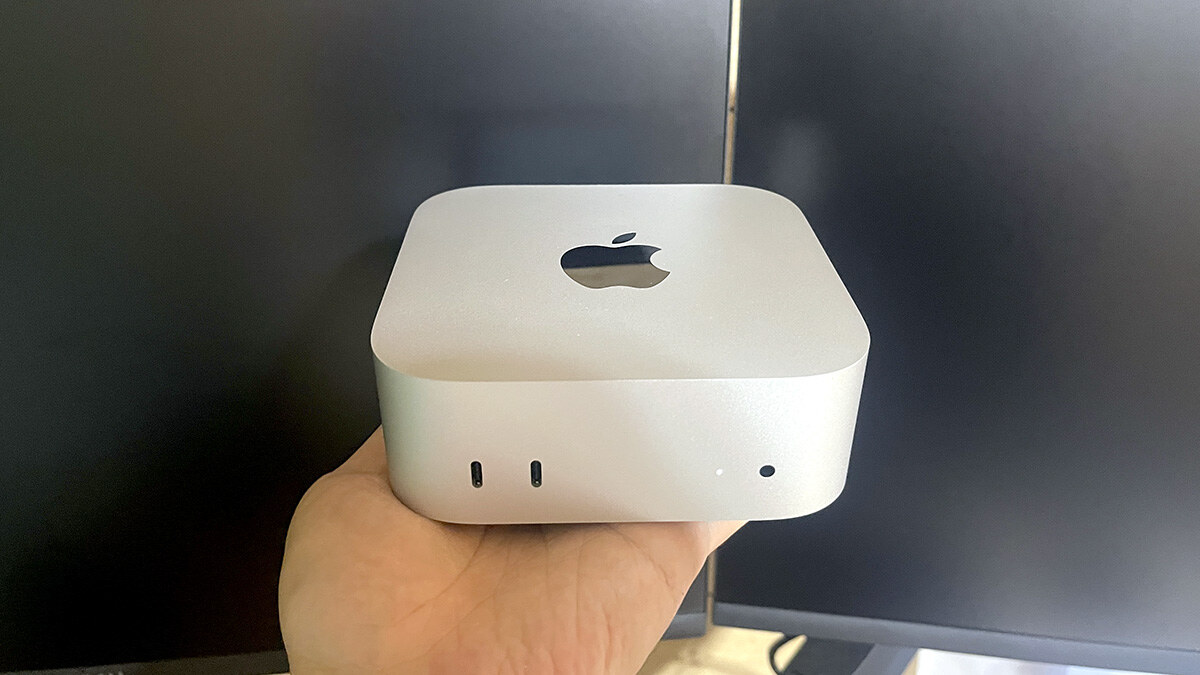
So I stopped moving. A Mac mini at home stays on and runs the work. From outside, I check in from an iPhone or a MacBook Pro and return decisions.
Originally published in Japanese on June 29, 2026. This English version was written in September 2026.
What you carry is not the working environment. It is the judgment.
This describes my setup as of June 29, 2026. One update since: on July 9, 2026 the Codex app merged into the ChatGPT desktop app for macOS and Windows, keeping its dedicated coding surface alongside Chat and Work. The host arrangement below is unaffected — only the name of the application on the Mac changed.
Why a laptop stopped being enough
I assumed a MacBook Pro would cover it. Portable, big screen, one environment everywhere.
Daily agent use changed the calculation. There are threads. Projects. Worktrees. Automations. Skills and plugins. And then local files, the CLI, Git, browsers, authenticated services, MCP, and Computer Use configuration.
Agent work does not end at asking a model a question. Which machine, which project, and which thread you are running all start to matter.
Open the laptop somewhere else and the thread you were working in is on the other machine. Local files may be pushed to GitHub, but app work state is not synced along with them, and uncommitted changes and running terminals are obviously not either.
One machine does the work; the others watch
| Device | Role |
|---|---|
| Mac mini | The host. Long work, multiple threads, automations, local tools |
| MacBook Pro | Checking in from elsewhere, light fixes, remote operation when needed |
| iPhone | Viewing threads from the ChatGPT app and returning instructions or decisions |
Fixing the host fixes the environment. Same projects, same threads, same local tools, same plugins and skills.
“Host” does not mean a powerful server. It means deciding which Mac the agent actually works on. That alone changes how the operation runs.
This is a documented capability, not a hack
OpenAI’s remote connections documentation describes accessing work running on another device: from the ChatGPT mobile app on iOS or Android to a connected macOS or Windows host, and between desktops as well. Pairing is done with a QR code.
What you can do from the phone is genuinely operational: start a new thread in a project on the host, continue an existing thread, send follow-up instructions, answer questions, approve commands and actions, review output, diffs, test results, terminal output and screenshots, and switch between hosts and threads.
The important part is whose environment runs. Remote access uses the connected host’s projects, chats, files, credentials, permissions, plugins, Computer Use, browser setup, and local tools.
The phone is not doing the work. Instructions sent from the phone run inside the environment on the Mac mini. Viewing device and working host are separable.
From a phone, you return decisions

The screenshot is redacted for publication — no local paths, thread IDs, commit information, or internal thread names.
Being out of the house does not mean operating everything. What I send back is usually one of: go ahead, not that way, check it again, this is safe to publish, hold.
That is enough to keep work moving. The agent works; the human decides whether to stop, continue, or roll back.
A host makes role handoffs cheaper
I run agents as role threads rather than one omniscient assistant: Director, Engineer, Tester, Document Owner, Assistant Director. Not a real org chart — a way of separating threads and work logs by role.
Split roles and the next problem is location. Which Mac holds the Director thread. Which host has the Engineer’s work. Where the Tester’s results can be read. Scatter that and the human ends up doing the searching.
With a fixed host, everything hangs off one place, and I look at threads attached to it from wherever I am. The human stops being a courier: Engineer works, Tester verifies, Director judges, and I return a go or a rejection only when needed.
This is not a step toward full automation. It is the opposite. The host exists to keep the decision points while removing the waiting time around them.
Keep this separate from cloud execution
Codex has a cloud execution surface too. This article is about using a Mac mini as a connected host, which is a different thing.
On a host, the host’s local environment is what applies: files, local tools, plugins, browser setup, Computer Use, permissions. Cloud is useful on its own terms. But if you want your local environment, your logged-in browser, your own tooling, and skills and docs you have built up, a permanent Mac as host earns its place.
Neither is better. Split the work: what to send to cloud, what to run on the host, what to review on the laptop.
What goes on the host, and what never goes in an article
On the host: the app, frequently used projects, a Git environment, the CLIs you need, reusable docs, skills, required plugins, and whatever browser environment you want to verify locally.
Not in public writing: IP addresses, screen-sharing URLs, thread IDs, detailed local paths, credential values or connection settings, unpublished repository names, browser session details.
The same applies to screenshots. The feel of the screen is fine; the contents and identifiers get blurred. Writing about real agent operations is what makes it interesting, and it is also what makes internal information easy to leak.
Try it in this order
Do not build something large. Start by making the Mac you already use the host. Leave the app running on it. Confirm it is visible from the ChatGPT mobile app.
Then move exactly one long-running piece of work onto it — background research for an article, tidying docs, a pre-publication check, generating rewrite candidates, reviewing test results, summarizing a daily report.
Keep the decisions you return from outside narrow at first: OK / revise / hold / next. Trying to do fine-grained work on a phone is exhausting. Returning decisions is not.
It only works while the Mac is awake
The documentation is explicit: mobile access requires the host to be running, online, and signed into the same account and workspace, with Codex access on both sides. If you use Codex through a ChatGPT workspace, an administrator may need to enable Remote Control access first.
So if the Mac mini sleeps, it stops. If the app quits, it stops. If the network drops, it stops. There is no automation magic here. Power, sleep settings, network, keeping the app running, Git sync, worktree handling — ordinary operations decide whether this works.
Which is why I started watching local environment state, not just usage. The more agent work you run, the more you have to maintain the place it runs rather than the agent itself.
Design the host, not just the prompt
Making a Mac mini the host settles where the work lives. Long work stays on the always-on machine. From outside, I look in from a phone or laptop and return a decision when one is needed.
Human checks remain — deliberately. The goal is not to automate everything. It is to cut the waiting I do not need to watch, so I can return the judgments that actually need me.