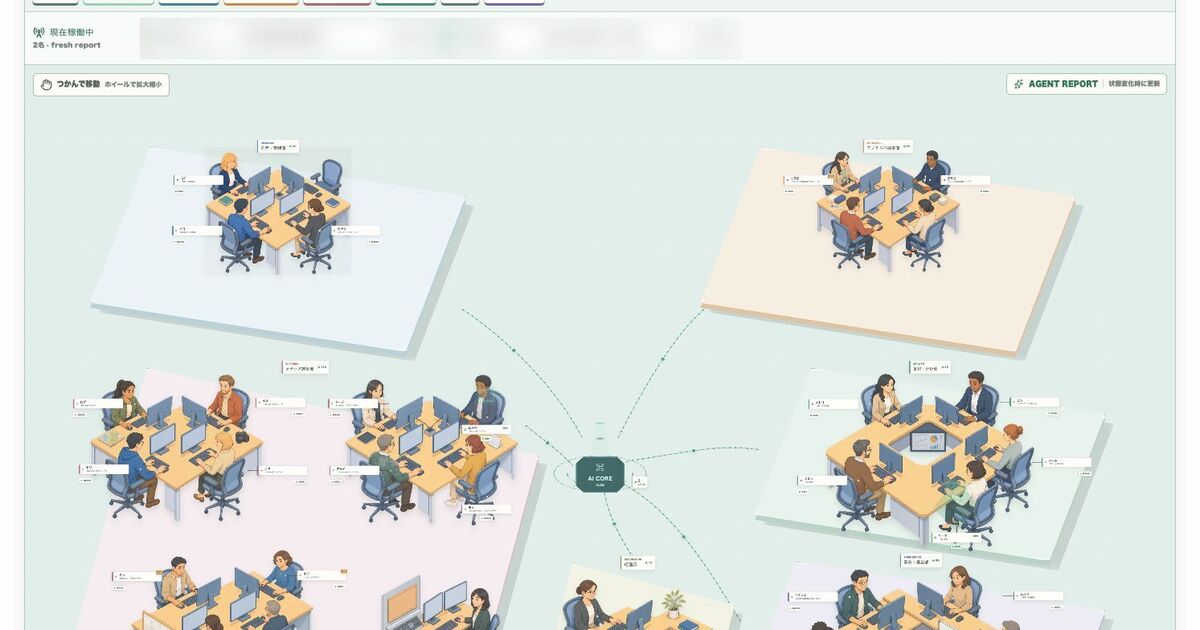
A list of running agent tasks tells you how many there are. It does not tell you who is doing what, or which role is blocked.
So I put the 28 roles I run my business on into six departments and rendered them as a 2.5D office floor. I call it the Task Control Room Company. It is a private dashboard I built for my own setup — not an OpenAI feature, and nothing you can install.
Originally published in Japanese on August 6, 2026. This English version was written in September 2026.
The part worth reading is not the artwork. It is the design mistake I made first: I tried to keep the board fresh by running agents whose job was to watch other agents. That failed, and replacing it with event-driven self-reporting is what made the board usable.
A task list shows conversations, not flow
Codex is a coding agent that reads the context you give it, does the work, and can carry it through verification. OpenAI’s own guidance frames it as something you configure and improve over time, closer to a teammate than a one-off assistant.
How you split several Codex tasks into departments, and how you display who is currently working, is not part of that. Everything past this point is mine.
I assumed at first that task names plus the last reply would be enough. In practice a piece of work does not close inside one conversation. A writing role produces a draft, a producer checks it, a publishing role ships it, and afterwards it feeds reporting and distribution.
The list gives me conversations. What I actually want to know is what is moving across the whole operation, where it is stalled, and which role it goes to next.
28 roles across six departments
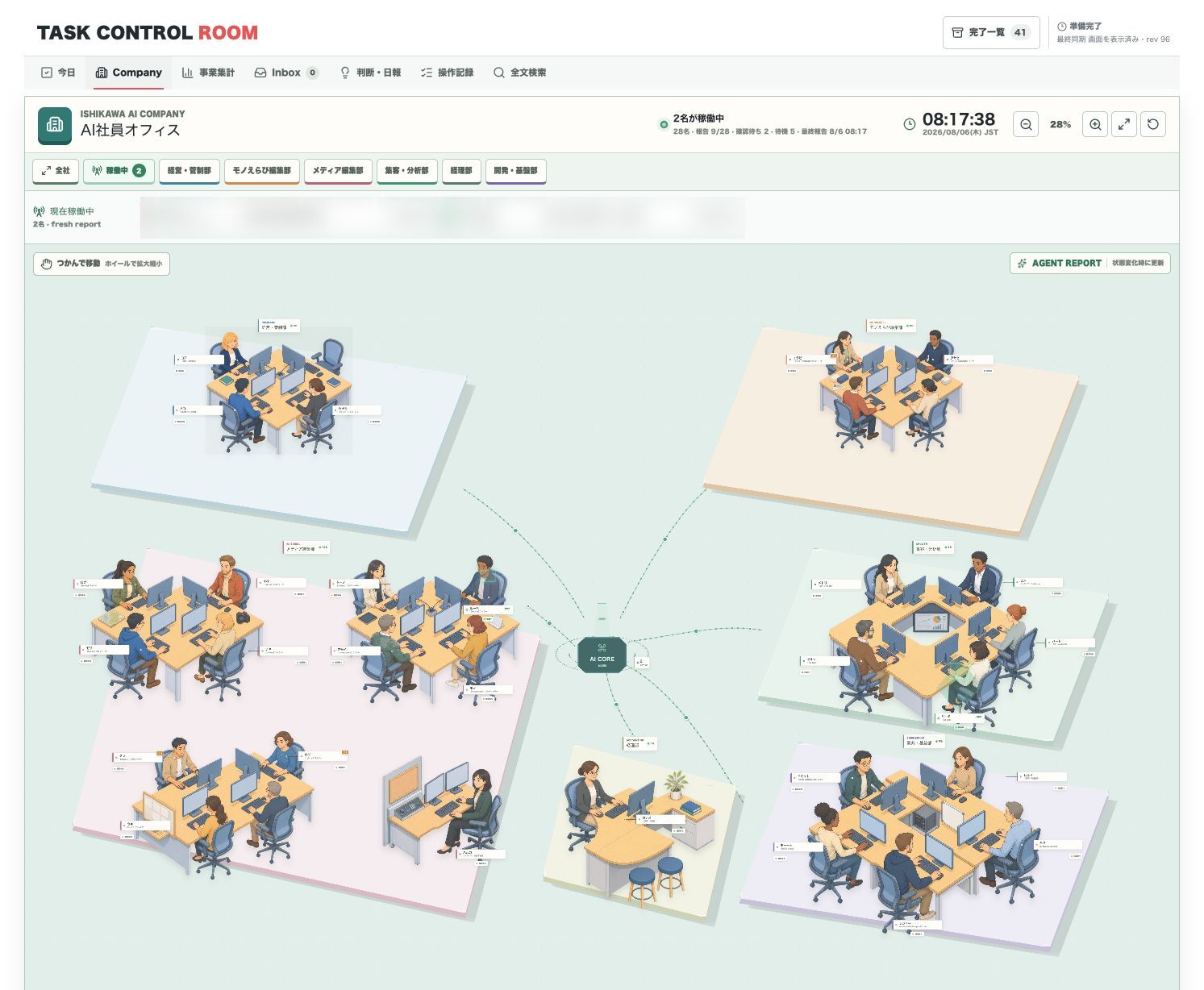
28 is the number of registered roles, not the number of agents running at once. It is the total set of entry points I keep defined so that articles, media operations, reporting, distribution, accounting, and development each have a stable place to land.
They sit in six departments, with an AI CORE in the middle and connecting lines so no department reads as an isolated island.
The screenshots are blurred only where the work description would expose unpublished information. Departments, seats, states, and headcounts are the real screen. Nothing was swapped for fictional staff or fabricated activity.
The desks and figures are not only decoration. Distance and grouping land faster than a table of text does. Which role is isolated. Where too many owners have piled up. Whether reporting and distribution look detached from the implementation side. Zoomed out, problems in the role design itself become visible.
Zoom in and you get owners and current work
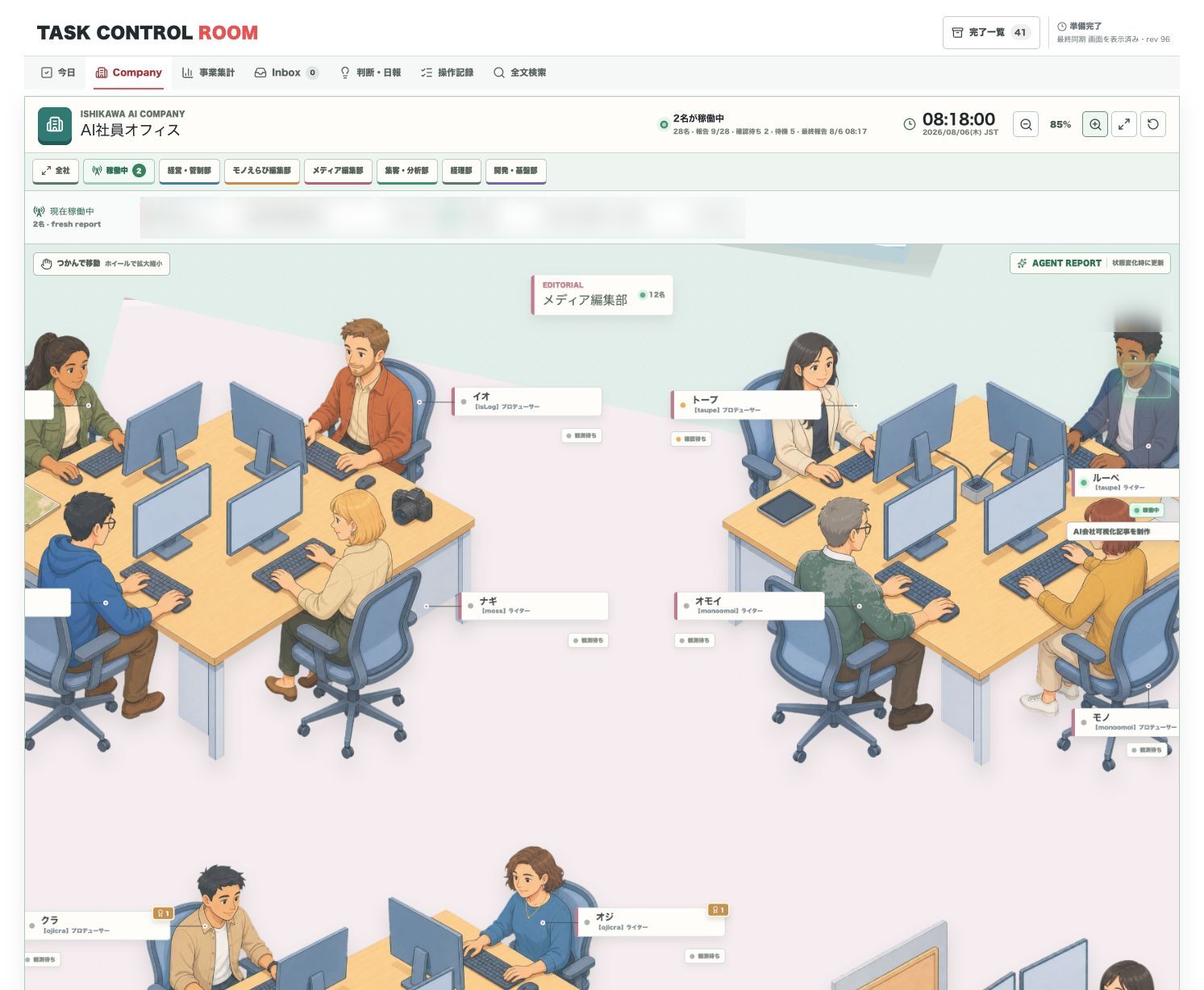
The whole-floor view is for structure. Select one department and the zoom level rises until seats, machines, staff names, and assigned roles are readable.
I gave them names, not just role labels. “Loupe drafts it, Taupe checks it” is easier to remember than “Writer A hands off to Reviewer B.”
The risk that comes with naming is treating them as people. A figure on this screen does not hold responsibility or judgment. It is an interface for understanding a role, the model behind it, whether it runs on request, and who it hands off to.
Lights for state, a caption for current work
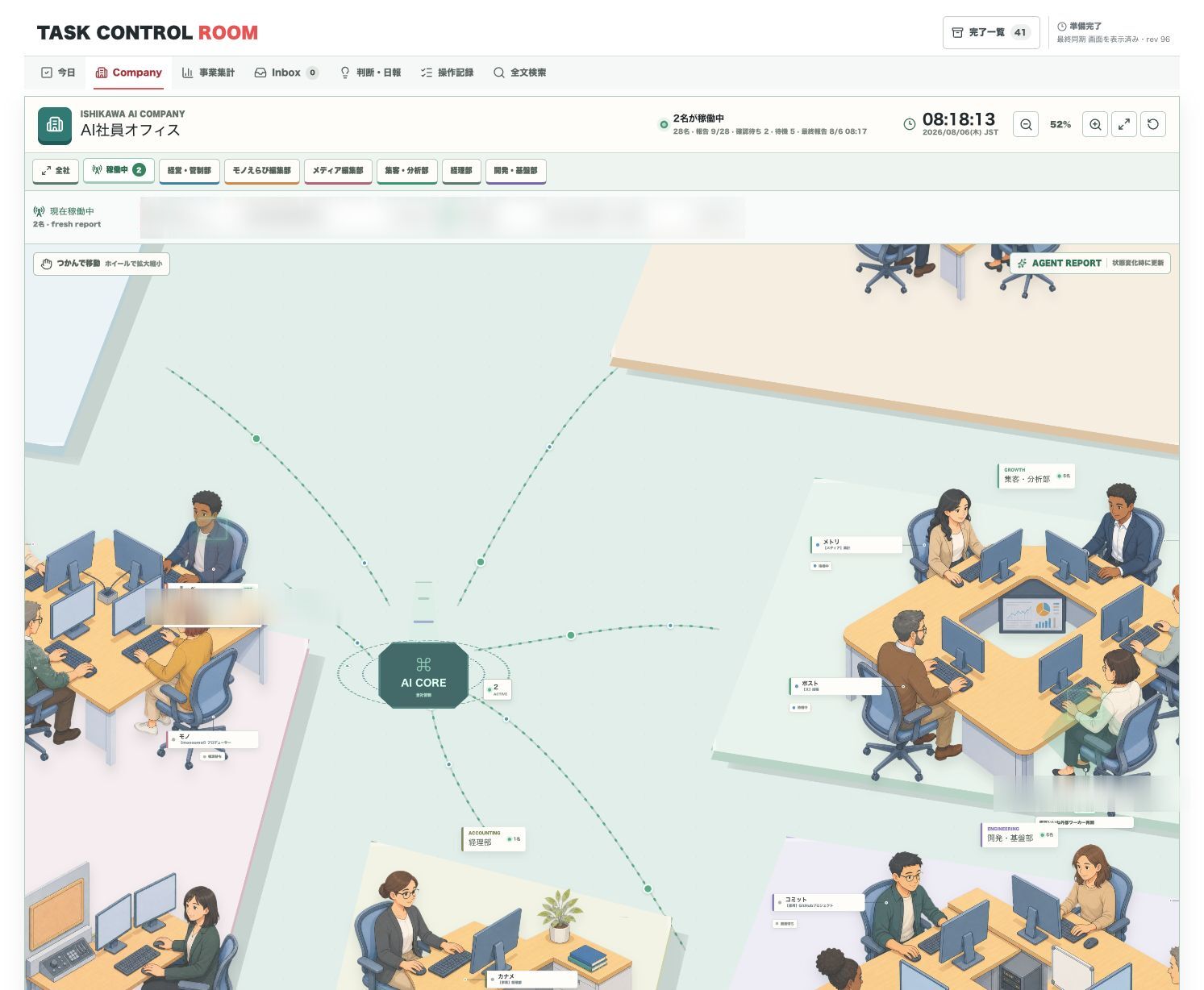
States are working, waiting, and idle. An active role’s desk and monitor light up, and a short caption names what it is doing. A “currently working” strip at the top of the screen lists only fresh reports.
In that screenshot, two roles happened to be reporting working during ordinary work. I did not spin up tasks or manufacture states for the photo.
The number of working roles is not a productivity score. Zero does not mean nothing is being produced and five does not mean things are going well. What I am checking is whether the current division of labour matches what is actually moving.
If an article is waiting to be published while the writing role is still marked working, a status update probably got missed. When a finished role drops back to idle, I can see where the handoff point is.
Per-role detail keeps a short activity trail
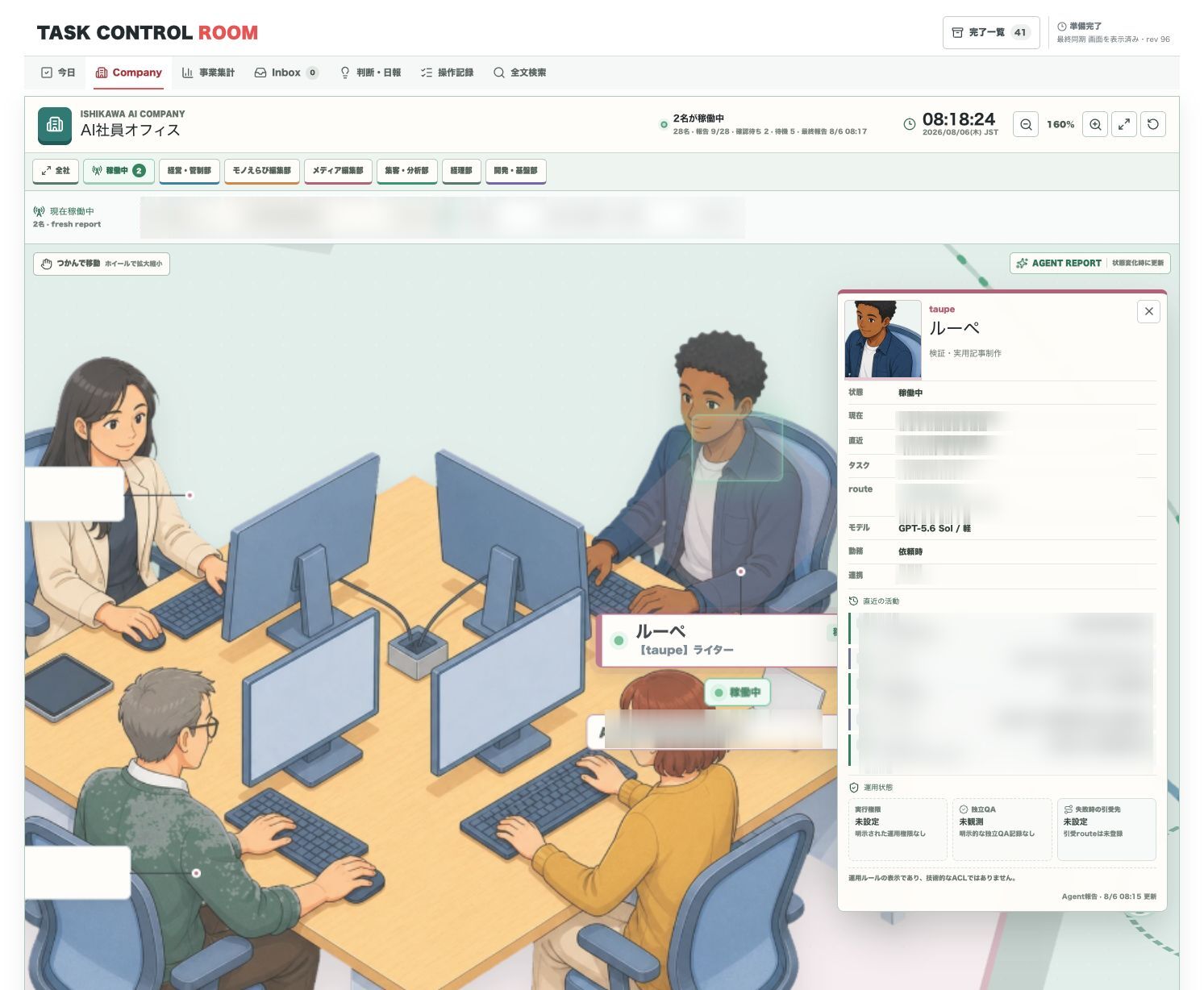
Selecting a role opens its state, current work, most recent result, model, working pattern, and collaborators, with a timestamped trail of recent starts, waits, and completions below.
The published image blurs internal identifiers, unpublished work names, and history details. The real screen does not store conversation bodies, prompts, responses, tool output, or credentials either. It displays only the short metadata needed to judge state.
The trail matters because “idle right now” is not enough. I want to see what finished before that and how long the wait has been running.
It is not an audit log, though. Whether the output is correct gets checked against the artifact itself — the article, the code, the published HTML, the verification record.
The mistake: agents whose job was watching agents
My first design kept the board fresh with a monitoring task. Patrol each role, collect state, update the display, and the company view is always current.
Instead, observation tasks multiplied. New conversations got created. Context was re-read just to confirm a state that had not changed. Tokens were spent whether or not anything moved. Agents doing work and agents watching work were running as separate populations.
The screen looked current. Keeping it current scattered the task list. I had added a second task-management problem in order to solve the first one.
The sharpest issue was subtler: “the report is recent” and “the work is running” are not the same claim. A watcher finding the latest conversation does not establish that the process is still executing. Presenting an outside-in guess as real-time monitoring was simply inaccurate.
Event-driven: report only on state change
I removed the dedicated cron, the heartbeat, the polling, and the patrol.
Now the role doing the actual work reports working when it starts, waiting when it is blocked on a check or an external change, and idle when it closes. If nothing changed, nothing is sent. A short metadata payload goes out only on a meaningful state change.
| Field | Meaning |
|---|---|
| agent | Stable owner ID |
| department | Which department the role belongs to |
| state | working / waiting / idle |
| current | Short name of the current work |
| recent | Most recent result |
| observedAt | Time the report was made |
Before the implementation details, I fixed what is never reported: credential values, full conversations, prompts and responses, transcripts, SQLite contents. The board needs a summary of the work, not a duplicate of it.
This board is not real-time monitoring
Past 70 minutes without a report, the Company view marks the role stale and returns it to “awaiting observation.” An old working state does not get to keep presenting itself as live.
Nothing here watches OS processes or model execution state directly. What the screen shows is the last state each owner reported, and how fresh that report is.
- Knowable: who owns what, the last reported state, where the next handoff sits.
- Not knowable: internal progress, answer quality, whether the artifact is correct, what percentage is done.
Not filling in what cannot be seen is what makes the board safe to use as an entry point for decisions.
Why the visual layer earns its place
You can run all of this without an office metaphor. A table displays state perfectly well.
I kept the departments, seats, figures, and lights anyway. When you handle several agent tasks every day, accuracy stops being the only requirement — you also have to be willing to keep looking at it. Zoom out over the whole floor, move toward the department that bothers you, open one role’s history. When that flow feels natural, checking state stays a short operational judgment instead of becoming a monitoring chore.
Adding more agents does not, on its own, produce something that runs like an organization. Define roles. Report state briefly. Show stale reports as stale. Keep the board separate from the artifacts of record. The visuals are the last layer, and they exist to make that operation legible.